
Panelglass
Manga translator · Android 12+ · early development
Read manga in your language, right inside the balloons.
Panelglass erases the original lettering and redraws every balloon, caption and sound effect in your language as you scroll. It runs fully on your phone with Gemma 4 or Google Translate, or with Gemini if you add your own key.
- Target languages
- 15
- Lettering fonts
- 21
- Servers of our own
- 0
Before and after
The same page, raw and translated in place. No floating boxes over the art.
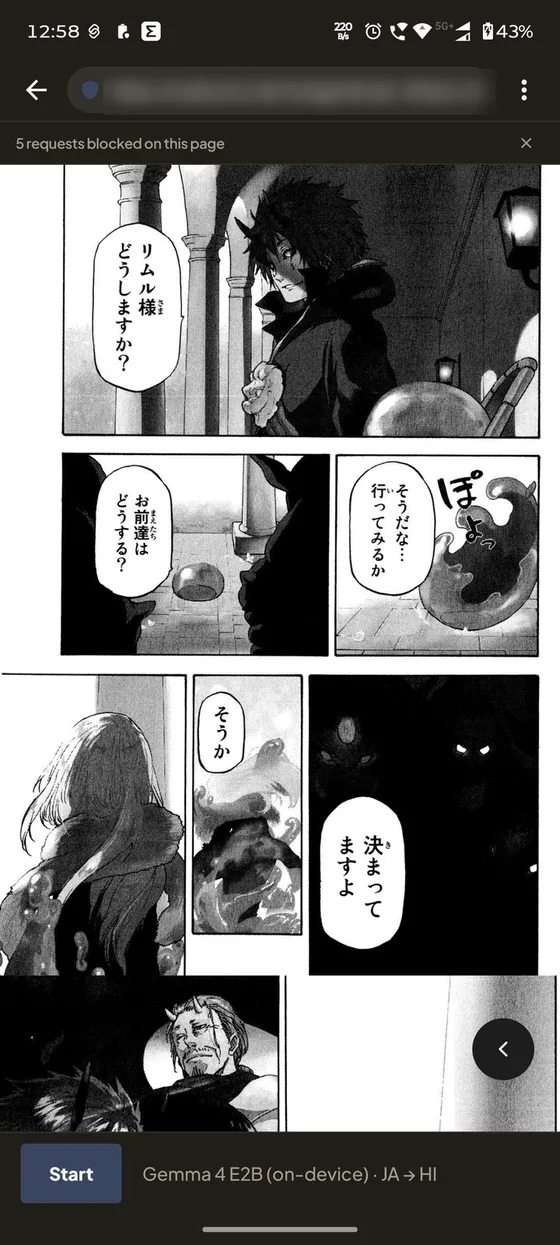
Before: the raw Japanese page 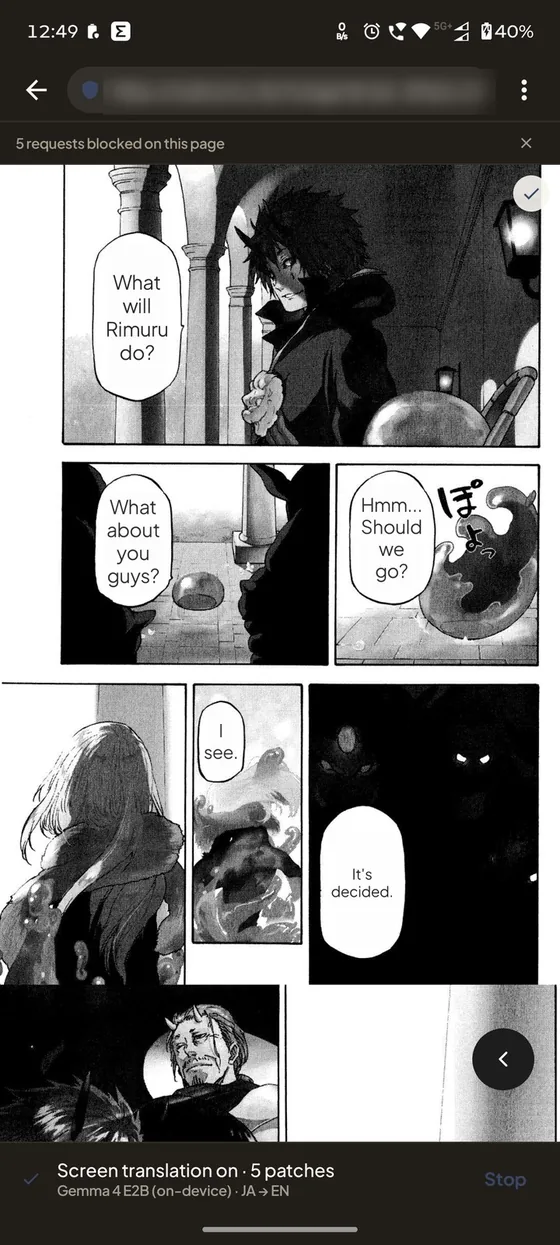
After: English, fully on the phone with Gemma 4 E2B 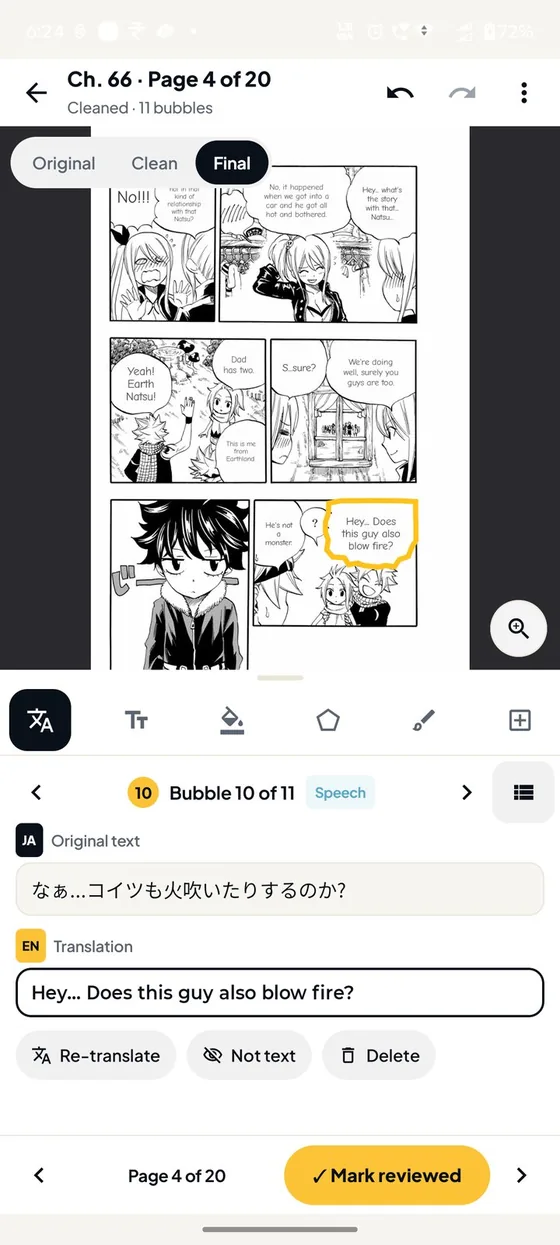
Studio: check each translation, balloon by balloon 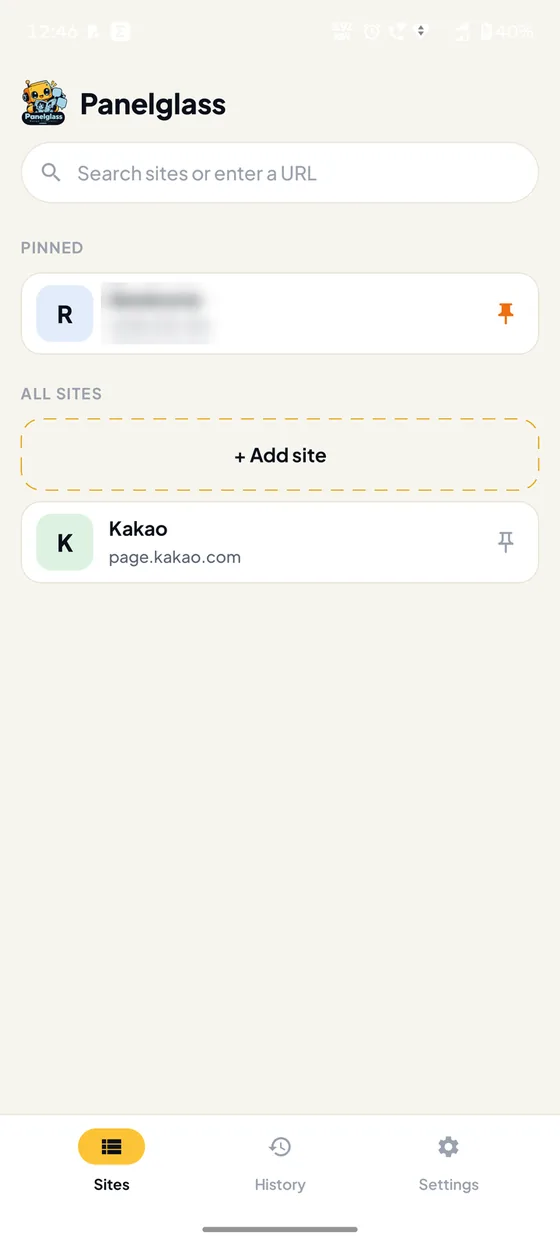
Your sites: none ship with the app 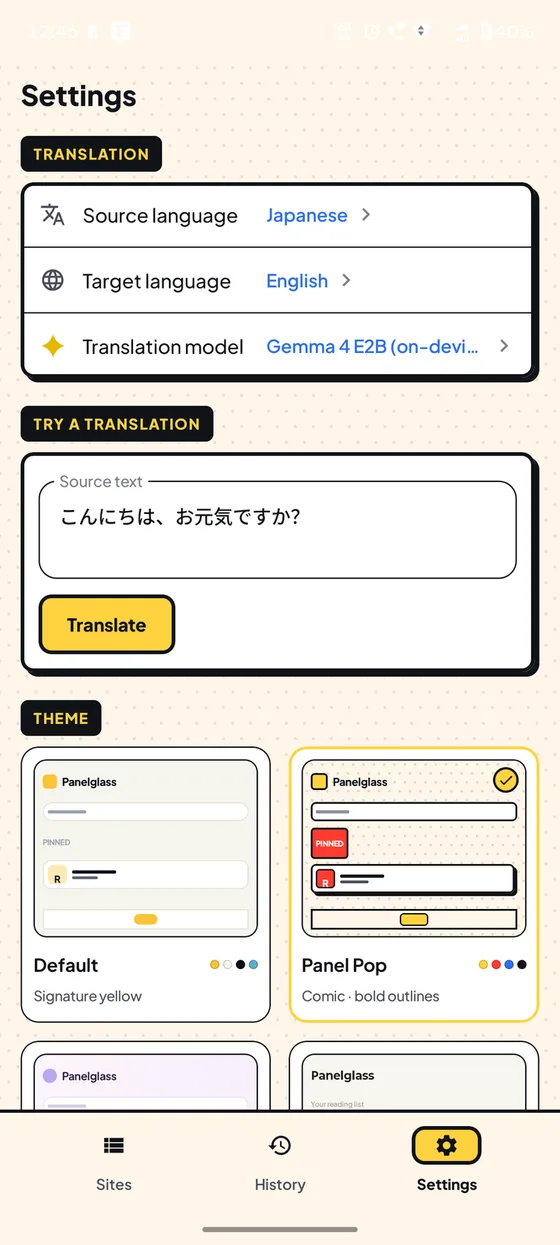
Settings, in the Panel Pop theme
Site addresses are blurred. Artwork belongs to its creators and is shown only to demonstrate the translation.
Built for comics
Panelglass translates what is on screen, so it works on whichever reader site you already use.
In-place lettering
The original text is removed and the translation is fitted into the same balloon or caption, sized to stay readable.
Keeps up as you scroll
Translations stay pinned to the art. Page turns, late-loading pages and rotating the phone are all picked up.
Your sites, your list
No sites ship with the app. Add the readers you use, pin favourites, and set languages and auto-translate per site.
Ads and pop-ups blocked
Public block lists, a pop-under catcher and clean-up of tap-hijacking overlays, so reading isn’t interrupted.
Studio for your own files
Import images, a PDF or a CBZ, translate the chapter on your phone, fix any balloon, and export for Kavita, Komga or any reader.
15 languages, 21 fonts
A comic font for every target language, or your own. Four themes, and the app itself speaks all 15 languages.
Pick your engine
Choose under Settings → Translation model. Panelglass never switches behind your back.
- Fully offline with Google Translate, Qwen or Gemma 4: nothing is sent anywhere to translate.
- Gemini for the best quality and speed: crops of the text on screen go straight from your phone to Google, with your own key.
- Vertical Japanese is read by the optional manga-ocr model, or by ML Kit with a rotated second pass.
Reads from Japanese, Korean, Chinese and nine more. Translates into those plus Thai, Arabic and Hindi.
| Engine | Runs | Needs |
|---|---|---|
| Google Translate | On your phone (ML Kit) | Nothing; about 30 MB per language pack |
| Qwen 2.5 1.5B | On your phone (LiteRT-LM) | A one-time 1.6 GB download |
| Gemma 4 E2B | On your phone (LiteRT-LM) | A one-time 2.6 GB download and 8 GB of RAM |
| Gemini | Google’s API | Your own API key |
Studio: letter your own chapters
For files you already have. Studio uses the same detector, text recognition and engines as the reader, so it works offline too.
- Import
Images in the order you choose, a PDF or a CBZ. A ComicInfo.xml fills in the title, number and credits.
- Translate and review
Translate the whole chapter, then check each balloon: correct it, re-translate it, or mark a false detection.
- Restyle and export
Change font, size, colour, outline and fill for one balloon or the page, then export images, CBZ or ZIP.
Nothing comes to us
Panelglass has no server and no account. It is a browser, so it uses the internet, and the policy lists every request it makes.
Read the privacy policy- On-device by defaultGoogle Translate, Qwen and Gemma 4 translate on your phone. Nothing is sent to translate.
- Gemini only if you choose itYour key is encrypted with the Android Keystore and sent only to Google, with your own requests.
- HTTPS onlyPlain http pages are upgraded or refused, and pages get no access to your files.
- No analytics, ads or crash reportsSM NexStudio receives nothing from the app.
Install in a minute
Panelglass is shared on GitHub rather than an app store, so there is no store account and no store tracking.
- Download the APK
Open the latest release on your phone and download the
.apkfile. - Allow the install
Tap the file. If Android asks, allow your browser or file manager to install apps, just this once.
- Pick a language and engine
Choose your languages, add a reader site, and press Start. Download Gemma 4 or Qwen later if you want an offline language model.
Questions
Is Panelglass free?
Yes. It’s free and open source under Apache-2.0, with no ads or in-app purchases.
Does it work offline?
Yes, with Google Translate, Qwen or Gemma 4 once their language packs or models are downloaded. Reading sites still needs a connection, as in any browser; Studio chapters don’t.
Do I need a Gemini API key?
No. Gemini is optional. The default engine, Google Translate, runs on your phone with nothing to set up.
Which sites does it work with?
The reader sites you add yourself. Panelglass translates what is on screen rather than downloading images, so it sees the same page you do.
Which phones can run Gemma 4?
Gemma 4 E2B needs about 8 GB of RAM and a one-time 2.6 GB download. Qwen 2.5 1.5B is lighter and falls back to the CPU on phones with less than 6 GB.
Is it finished?
Panelglass is in early development, so expect rough edges. Reports on GitHub help a lot.
Raw chapters, read in your language.
Free and open source under Apache-2.0. Every release is a signed APK with a SHA-256 checksum next to it.