
Memora
Birthday reminders · Android 13+ · GPL-3.0
Never miss a birthday, anniversary or festival again.
Memora reminds you early and again on the day, then has a heartfelt wish ready to send on WhatsApp, SMS or email, as a message or a handmade-looking postcard. It works offline and keeps everyone you add on your phone.
- Postcard designs
- 5
- Festival calendars
- 22
- Accounts needed
- 0
Looks like a postcard
Paper cards, postage stamps and handwritten wishes, in light and dark themes.
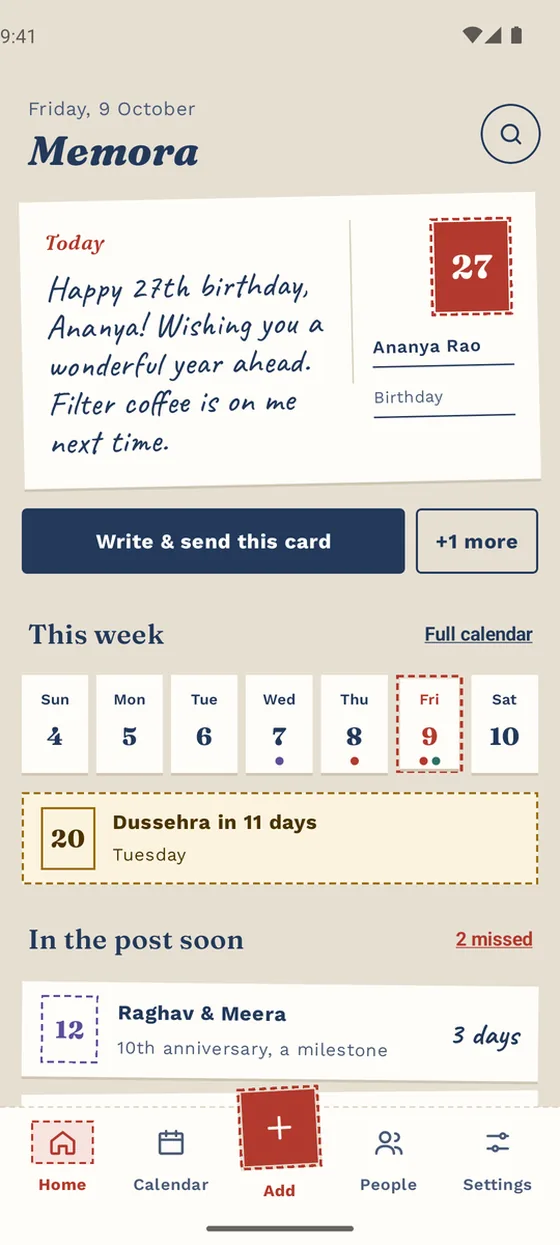
Today’s card, the week ahead and what’s coming 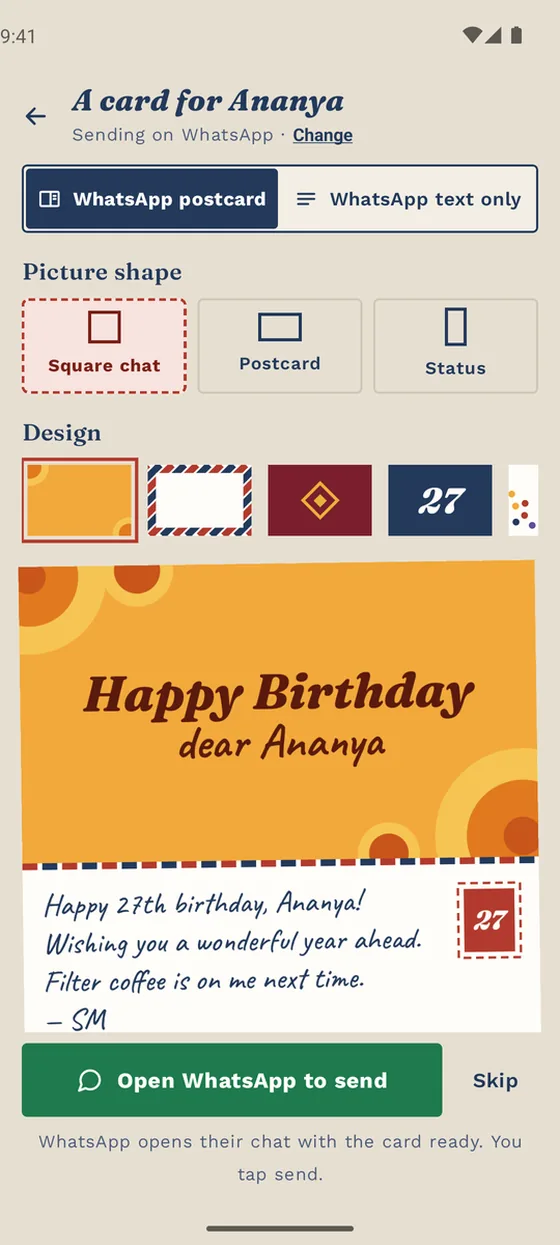
A postcard for WhatsApp, ready in two taps 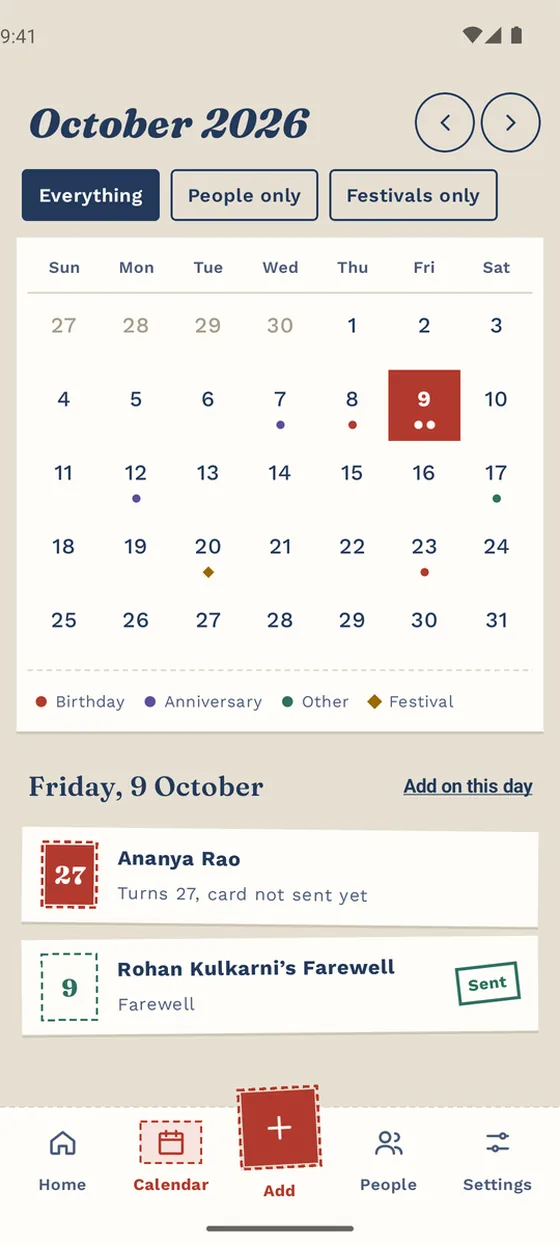
A month calendar of every occasion 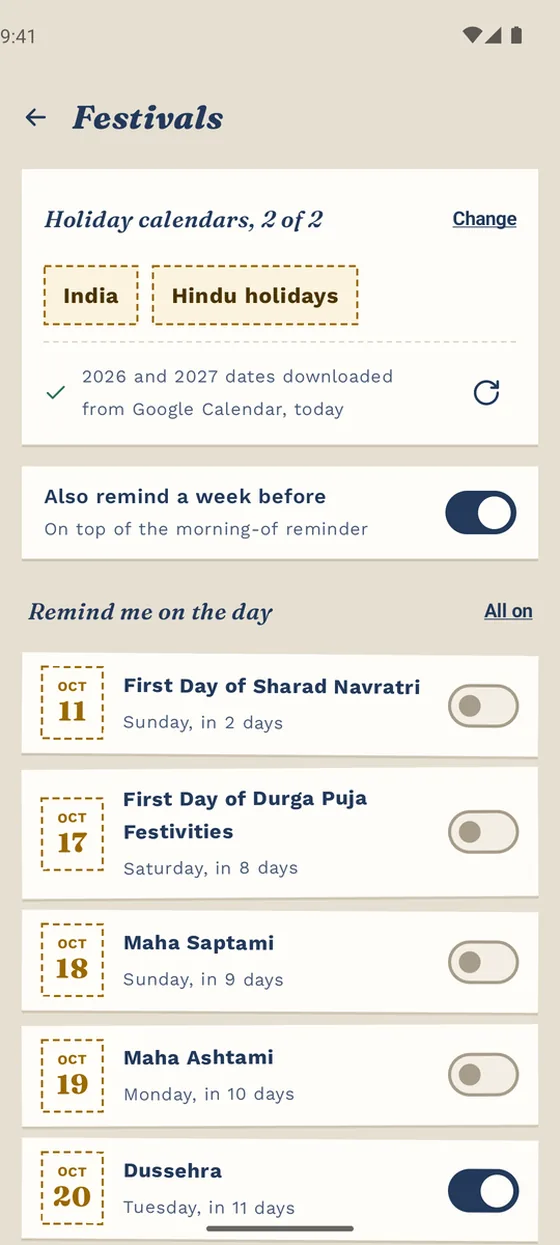
Festivals from the calendars you pick 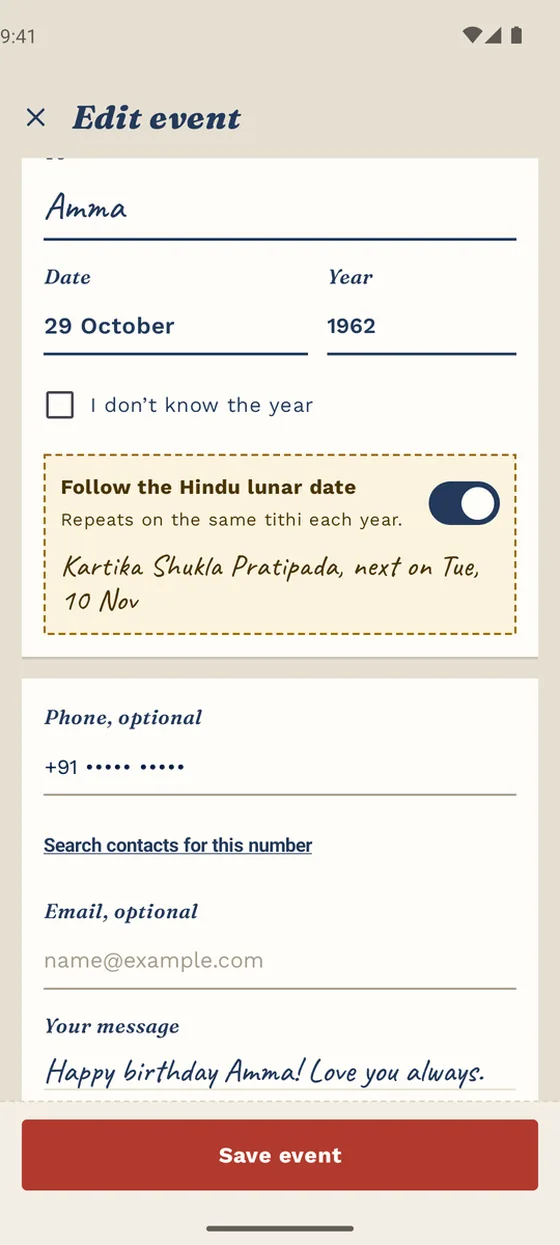
Birthdays on the Hindu lunar calendar 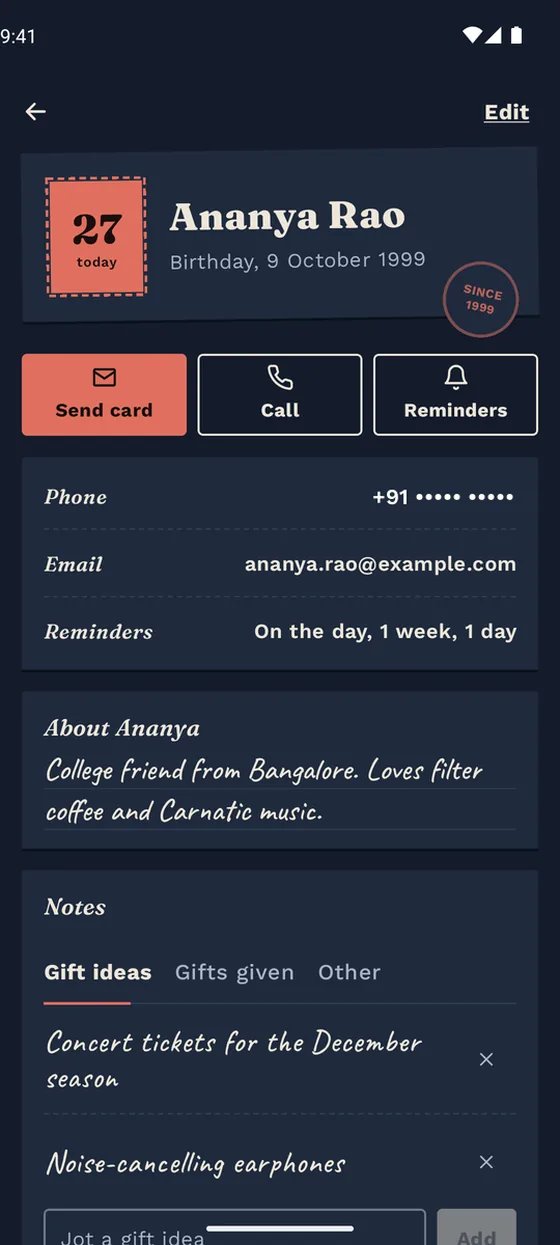
Each person’s page, in the dark theme
Remember everyone, without the effort
Add the people who matter once. Memora handles the dates, the reminders and the words.
Reminders that arrive on time
One or two early reminders, from a week to a day before, and another on the morning, at the time you choose. Milestone alerts two weeks before the big ones, like an 18th birthday or a 25th anniversary.
A wish ready to send
Formal, fun and family tones, or your own words, with the name and age filled in. Memora opens WhatsApp, SMS or email; you tap send.
Postcards drawn on your phone
Marigold, Airmail, Rangoli, Big number and Confetti, shaped for a chat, a two-sided postcard or a WhatsApp Status.
Remember the little things
An About note, gift ideas and gifts given each year, so you never give the same thing twice, and a history of every wish.
Home-screen widget
Today’s events, a Wish button and what’s coming up, in large and 2 × 2 sizes.
Import from contacts
Bring in the birthdays and anniversaries already saved in your phone contacts, in one go.
Festivals and lunar dates, too
Built with Indian families in mind, and useful well beyond them.
- Festival reminders for Diwali, Ugadi, Sankranti, Eid, Christmas and more, from Google’s public holiday calendars. Pick up to two of 19 countries and 3 religious calendars.
- A reminder on the festival morning, and optionally one a week before.
- Lunar birthdays and anniversaries that repeat on the same Hindu tithi, such as Bhadrapada Shukla Tritiya, instead of the same calendar date. Worked out on your phone, with no internet needed.
- A Sunday digest of the week ahead, and a Missed list so a belated wish is never forgotten.
The people you remember stay on your phone
No sign-up, no cloud, no ads and no analytics. Memora only goes online for public festival dates and to check GitHub for updates.
Read the privacy policy- Nothing about you leavesNames, dates, numbers and notes stay in the app’s private storage. Contacts are read only when you import or look up a number.
- App lockFingerprint, your phone’s screen lock or a Memora PIN. While locked, Memora is hidden from screenshots and Recents, and names stay off the widget.
- Encrypted backupsSave a backup to Drive or your phone, protected with a password if you like (AES-256).
- You always tap sendMemora prepares the wish and opens your messaging app. It never sends anything on its own.
Install in a minute
Memora is shared on GitHub rather than an app store, so there is no store account and no store tracking.
- Download the APK
Open the latest release on your phone and download the
.apkfile. - Allow the install
Tap the file. If Android asks, allow your browser or file manager to install apps, just this once.
- It keeps itself up to date
Memora checks GitHub once a week, shows what’s new, and installs an update only if it matches the release’s SHA-256 checksum and signing key.
Questions
Is Memora free?
Yes. It’s free and open source under the GPL-3.0 licence, with no ads or in-app purchases.
Does it send messages automatically?
No. Memora prepares the wish and opens WhatsApp, SMS or email for you. You always tap send yourself.
Do reminders work without internet?
Yes. Reminders, wishes, lunar dates and the widget all work offline. Only festival dates and update checks need a connection.
Why are my reminders late?
Some phones (Xiaomi, Oppo, Vivo, Realme, Samsung) pause apps to save battery. If Memora’s Settings shows “Reminders may arrive late”, tap it and fix what’s marked, usually by setting battery use to Unrestricted. Memora doesn’t run continuous background tasks, so this won’t drain your battery.
How do I move Memora to a new phone?
Settings → Back up, save the file to Google Drive, then Restore on the new phone. Backups from Memora 1.x restore too.
Is it on the Play Store?
Not yet. Download it from GitHub Releases.
Every birthday remembered. Every wish ready.
Free and open source under GPL-3.0. Every release is a signed APK with a SHA-256 checksum next to it.